Things Help
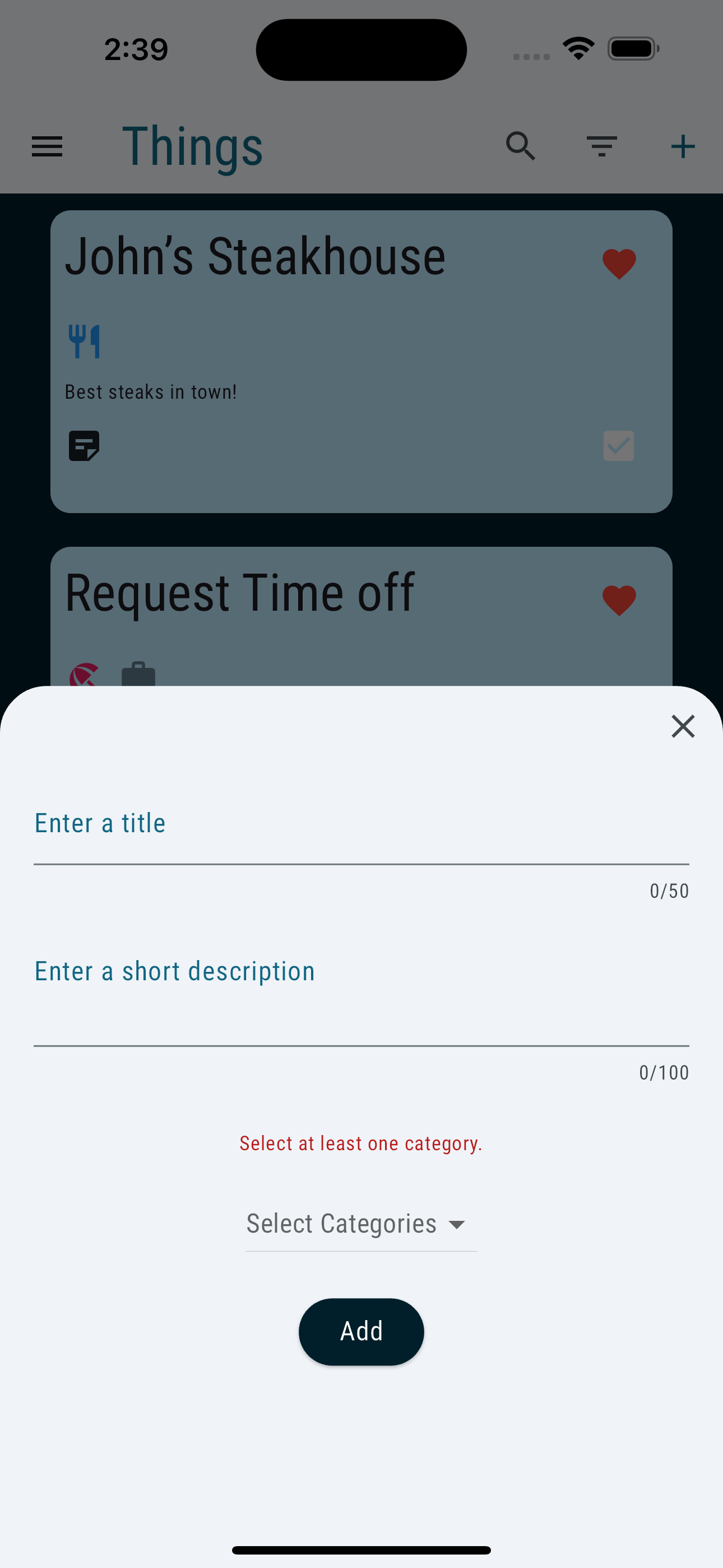
Hit the '+' button in the top right to add a new thing.
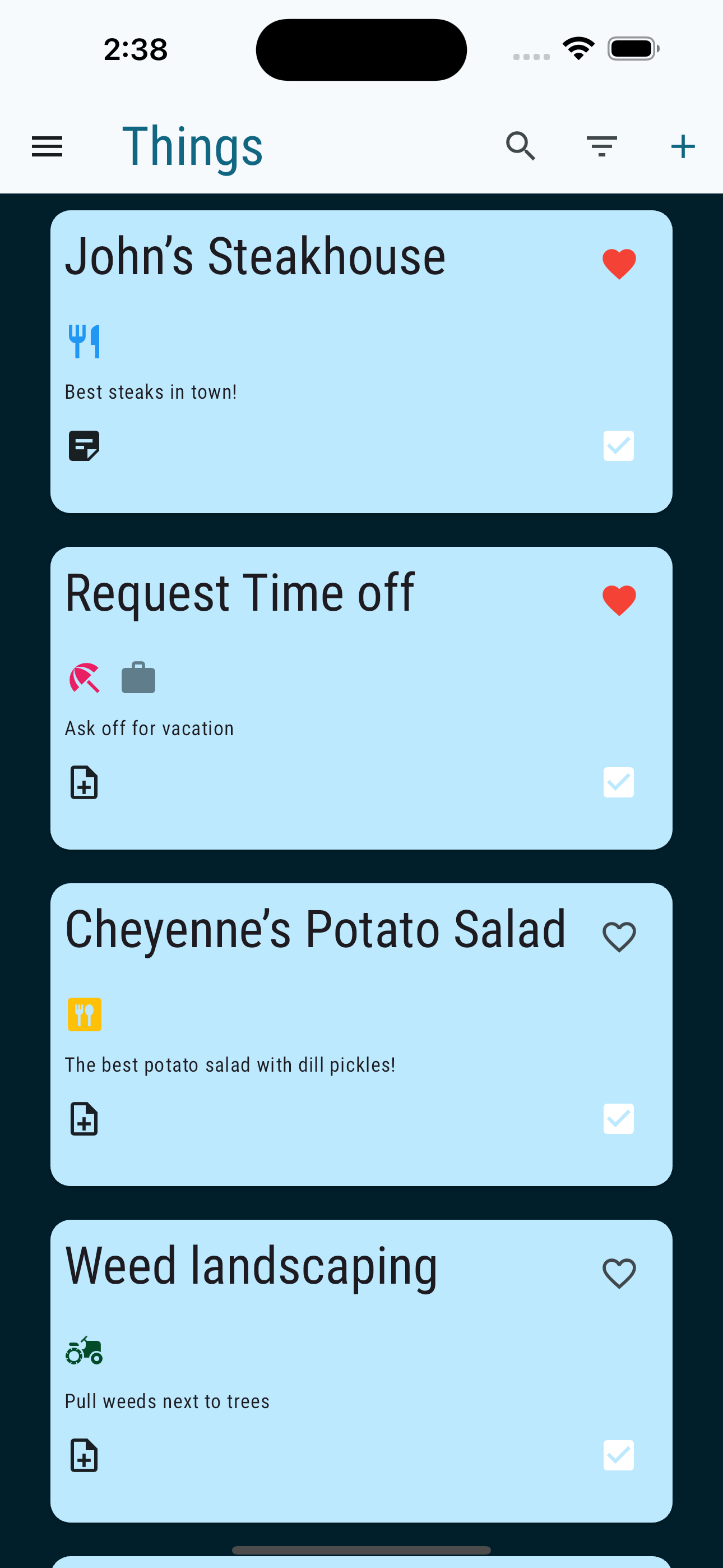
This is the view of what your things will look like once created.
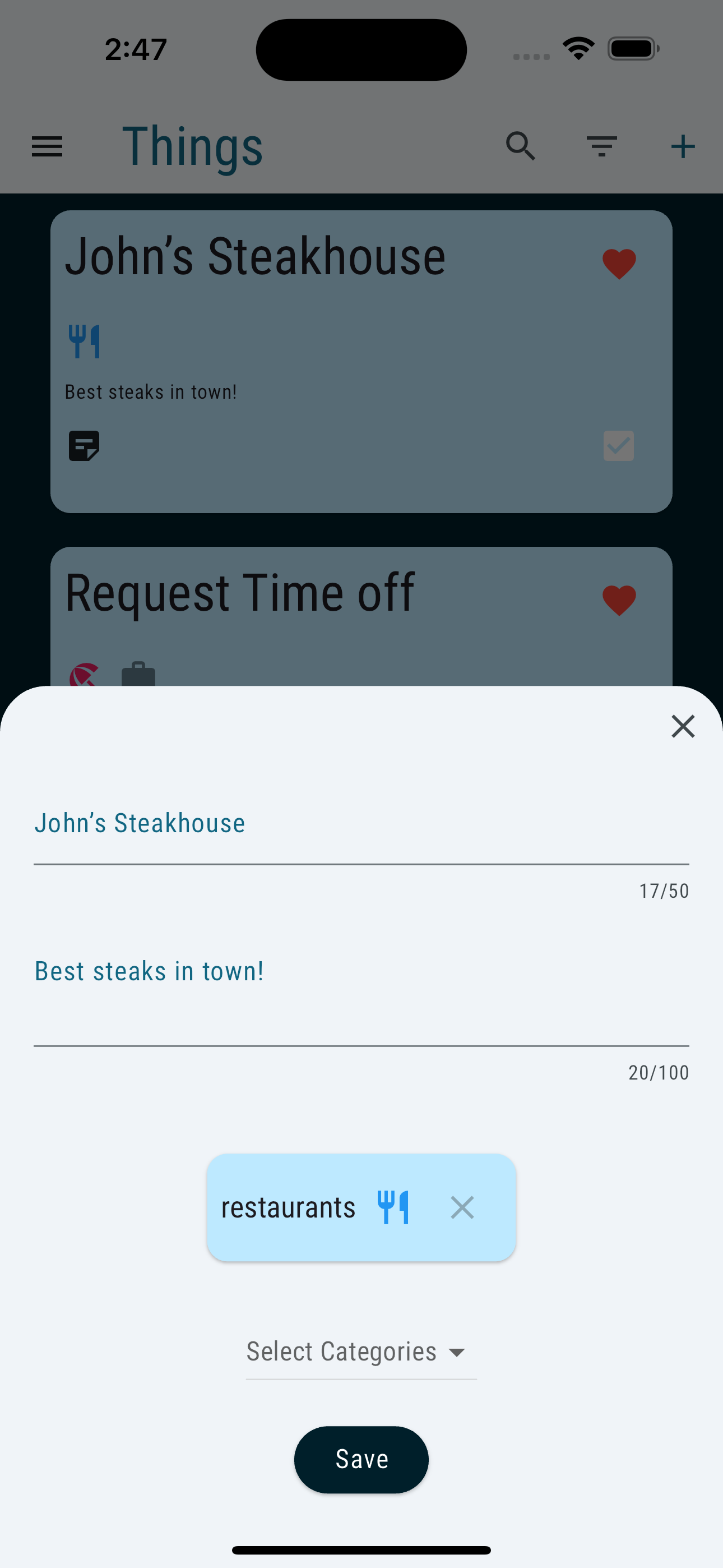
Tap the Thing to edit.
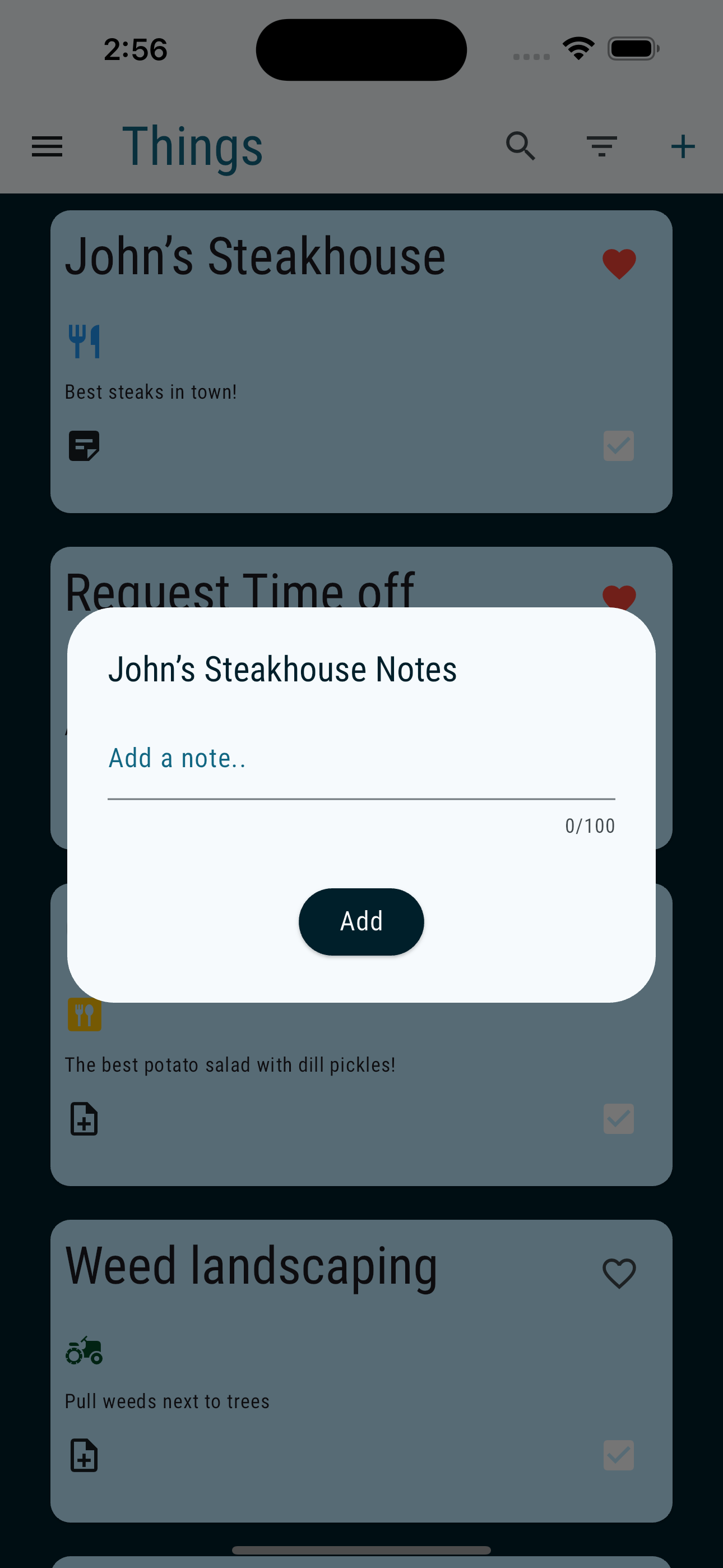
Tap Note Icon to add a note
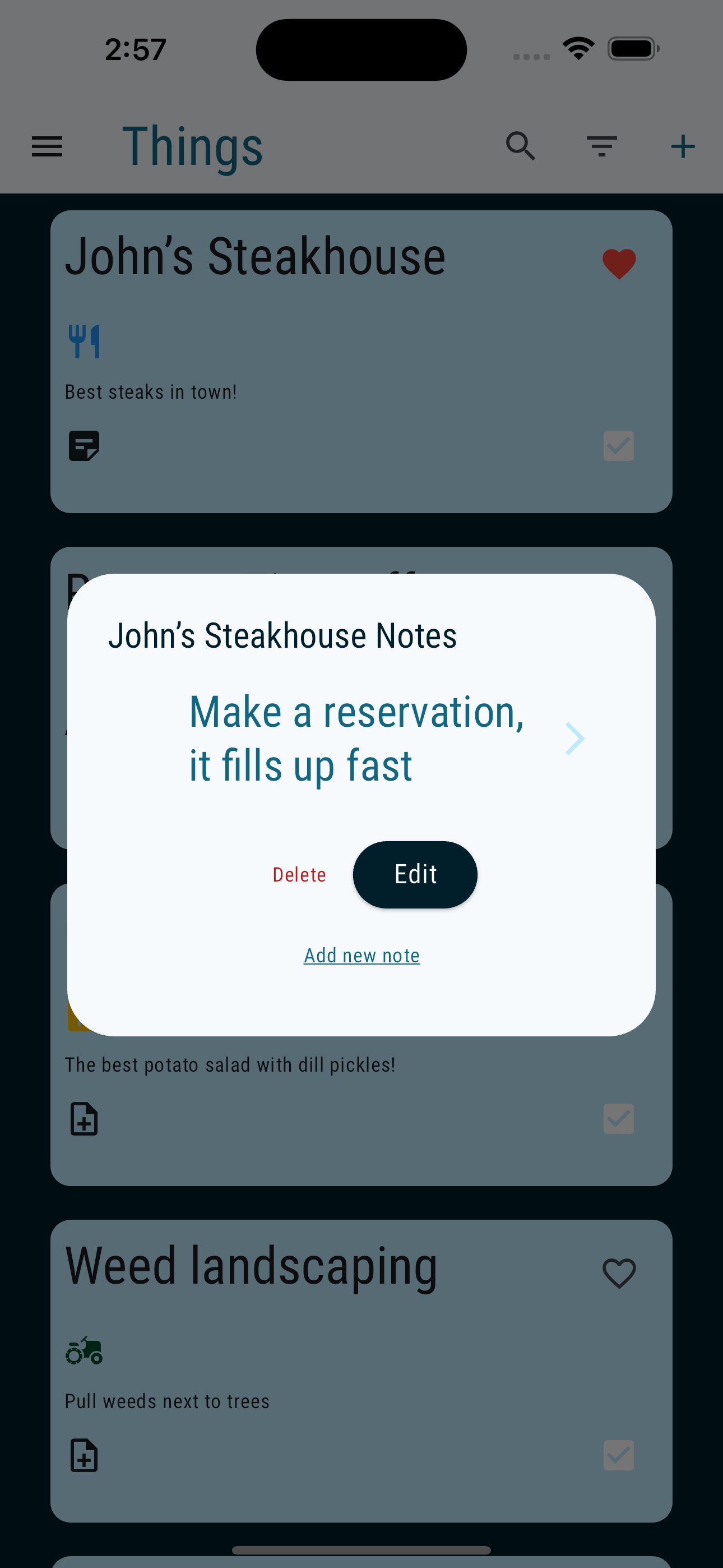
Swipe left and right to view notes
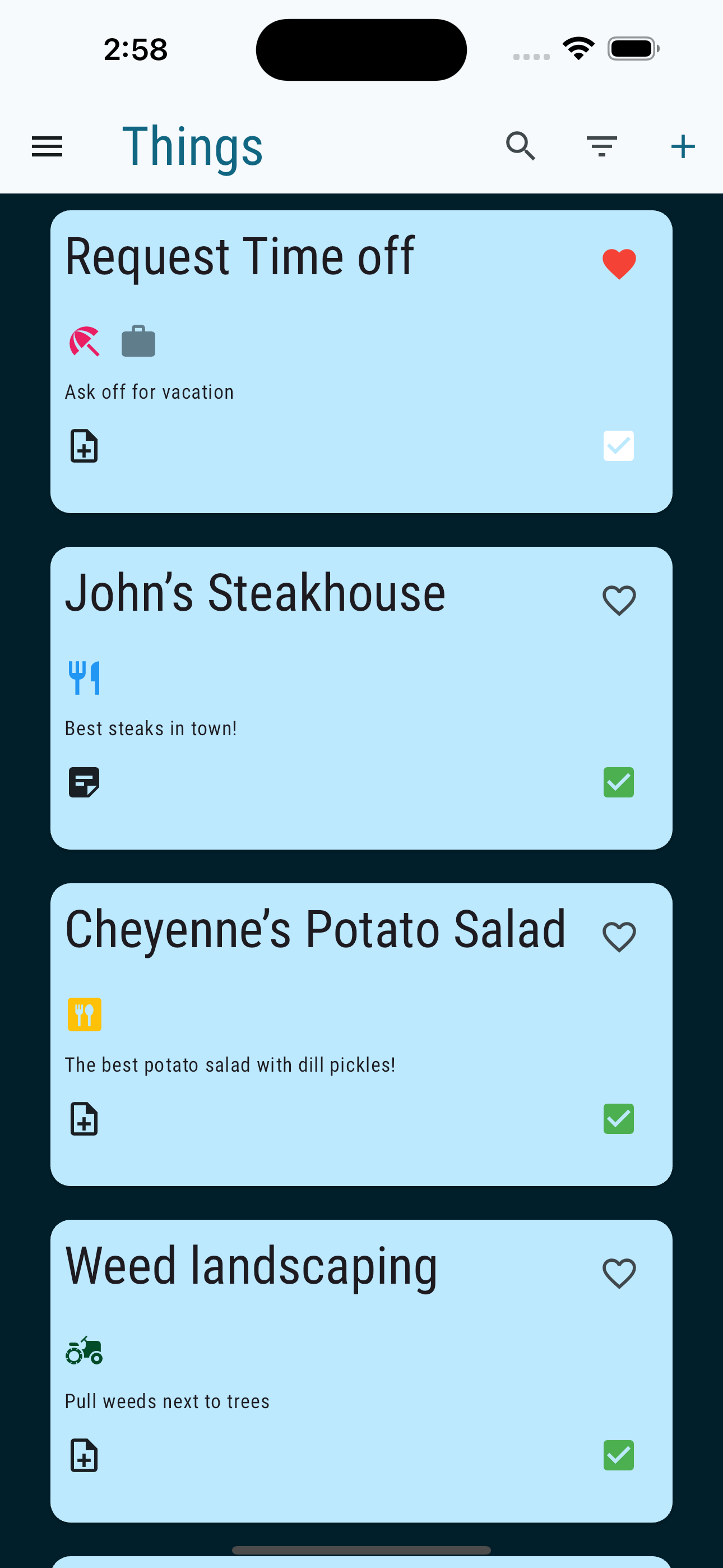
Tap Favorite icon to add thing to the top of the list, and tap the complete icon to add the thing to the bottom of the list.
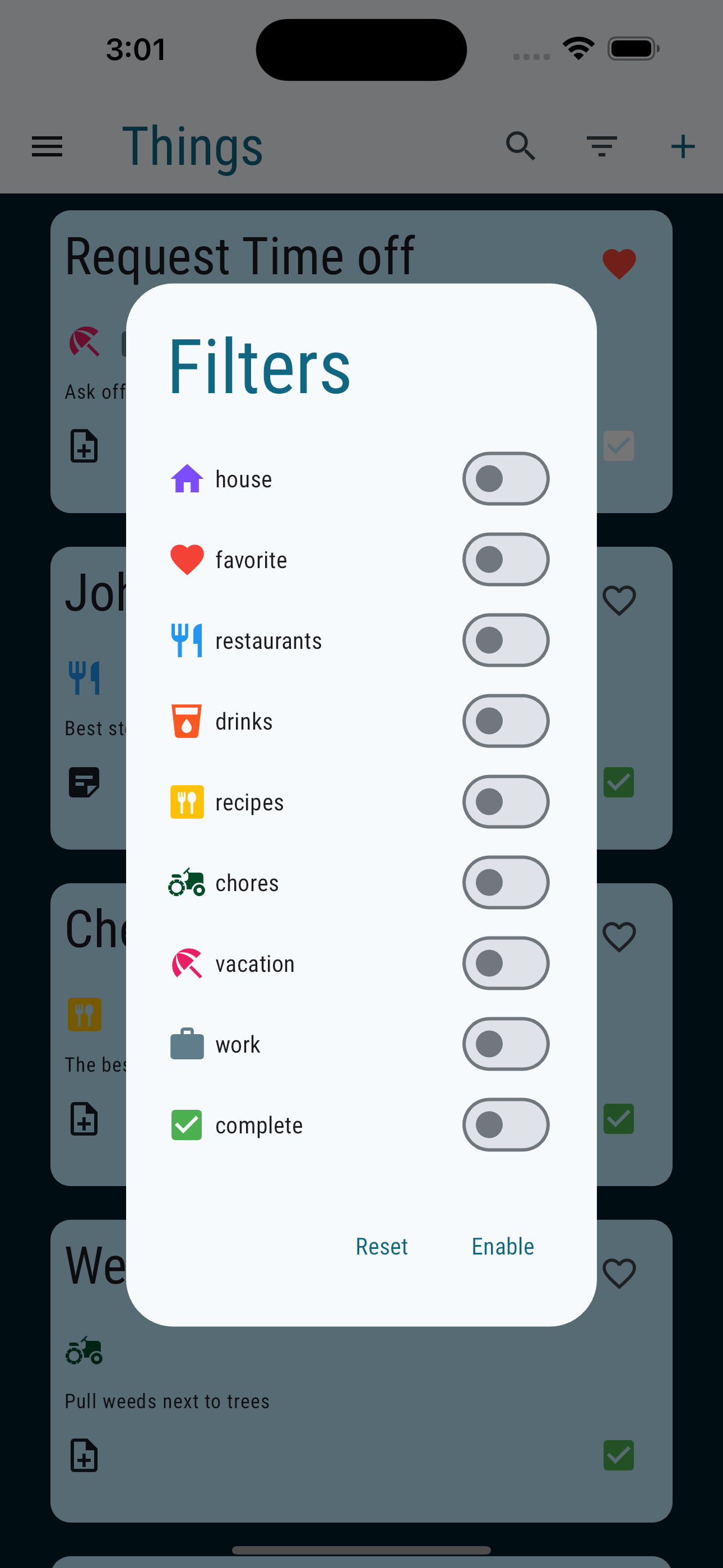
Select categories to filter your list of things.